Caller ID Trusted Call & Block
Code bytesCommunication
4.33.00 Reviews
- Version
- 2.3
- Installs
- 1.00M
- Age Rating
- Everyone
Screenshots

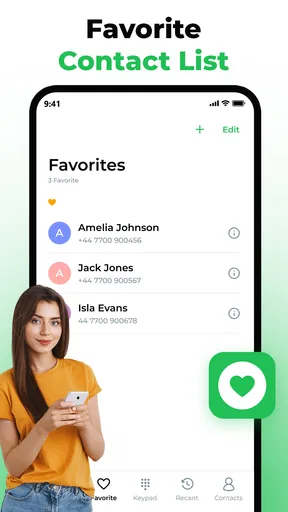
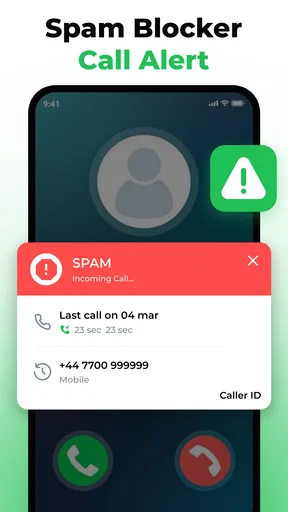
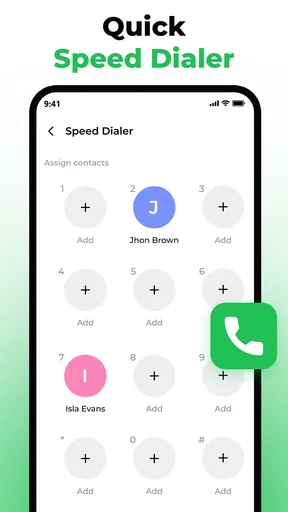
Our Review of Caller ID Trusted Call & Block
 Analysis by Appyee
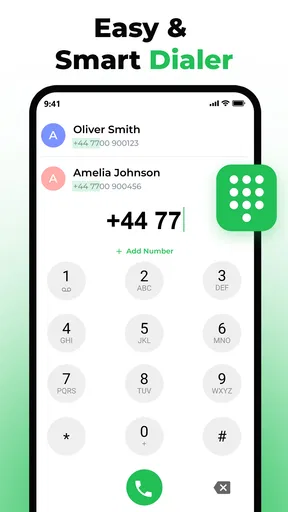
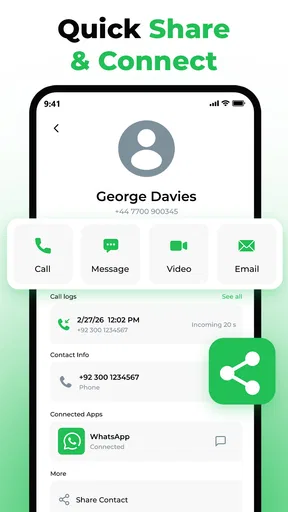
I approached Caller ID Trusted Call & Block as the kind of communication app you open when an unknown number interrupts your day and you want a quick answer before deciding whether to respond. Its focus is straightforward: identifying callers, helping with spam protection, keeping a useful call history, and making contacts easier to find. That combination sounds simple, but the real value depends on how smoothly it fits into the phone’s existing calling experience.
In my experience, the app makes the most sense for people who receive frequent calls from unfamiliar numbers, manage a large contact list, or want a clearer way to review recent calls. It is free, aimed at everyone, and developed by Code bytes. Its current version is 2.3, with support beginning at Android 8.0. The app sits in the communication category rather than trying to become a full messaging replacement, which is a strength: it has a focused job.
It has reached over a million installs and holds a 4.3 average from around two thousand ratings. Those figures suggest that the idea is useful to a broad group of phone users, but they do not remove the need to check whether it suits your particular calling habits. A caller identification tool is only helpful when it appears at the right moment, records calls reliably, and does not make ordinary contact searches slower.
Where the first-call experience can get stuck
The most common frustration with an app like this is not necessarily the identification itself. It is getting the phone, the app, and the user’s expectations aligned. A person may install it expecting every unknown caller to be named immediately, then discover that the result depends on the phone’s current calling setup and the information available for that number.
I would begin with modest expectations. Caller ID can be useful when a number is recognizable, but it should not be treated as a guarantee that every caller will be identified. Businesses change numbers, people use new SIM cards, and unwanted callers may deliberately hide or rotate their numbers. When the app cannot provide a useful label, that does not automatically mean the application is broken.
The same applies to spam protection. I see it as a decision aid rather than a substitute for judgment. A warning can make an unfamiliar call easier to assess, but I would still avoid sharing personal information with a caller simply because a number looks familiar. If a call claims to be urgent, I prefer ending it and contacting the organization through a number I already trust.
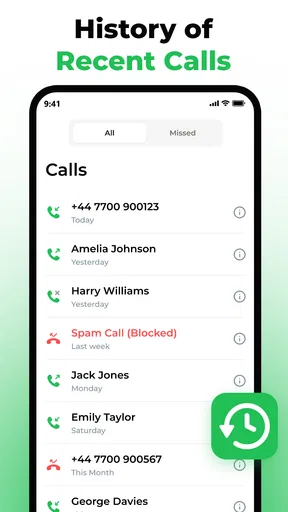
Call history is another area where small misunderstandings can cause trouble. Users often expect a separate, complete record inside every calling app. In practice, the phone’s own call screen remains important, and the experience may feel different depending on which application handles calls by default. If a recent call appears in the phone’s normal history but not where you expected inside the app, check the system call interface before assuming the record has disappeared.
The key practical lesson is to separate an identification problem from a phone-integration problem. If the app opens normally but does not appear at the right point during a call, the issue may be how Android is assigning calling responsibilities. If calls work but a particular number has no label, the limitation may concern that number rather than the installation.
What I would check before judging the app
After installing, I would first open the app and move through its main screens slowly rather than immediately waiting for the next unknown call. I would look for the caller identification area, the recent call history, and the contact search. This gives a baseline: you can tell whether the app itself is responsive before testing it during a live conversation.
Next, I would place a normal call to someone already saved in my contacts, then inspect how the call appears afterward. This is a more useful first test than waiting for a suspicious number. It confirms whether the basic calling record is being handled in a way that makes sense on your device. Once that is clear, an unfamiliar caller can be evaluated without confusing several problems at once.
I would also search for a contact using a partial name or a distinctive part of the saved details. Smart contact search is most valuable when you are in a hurry, such as when you need to call a local service while walking between appointments. The practical test is not whether the search looks impressive; it is whether it reduces the number of taps needed to reach the right person.
One useful habit is to keep contact names consistent. If the same person is saved under several variations, a search tool can feel less dependable even when it is working correctly. I prefer a clear name followed by a short context label, such as work or family, so that similar entries are easier to distinguish. This is a small preparation step, but it improves the app’s most everyday use case.
For spam protection, I would use a staged approach. Let the feature inform your decision first, then observe how it behaves over several calls. Do not block a number merely because it is unfamiliar, especially if you are expecting a delivery, a medical callback, or a call from a new workplace. Blocking is most useful when the pattern is clear and the caller is repeatedly disruptive.
Setup checks that prevent misleading results
The first check is simple: make sure you are testing the app on a phone that meets the stated Android requirement. It supports Android 8.0 and later, so an older device is not a good basis for judging performance. On a compatible phone, I would also restart the device after installation if the calling interface does not immediately reflect the new app. A restart is a sensible general troubleshooting step because it refreshes system services without changing personal data.
The second check is to distinguish the app from the phone’s default calling application. Android devices can organize calling screens differently, and a manufacturer’s phone software may continue to control the visible call interface. If Caller ID Trusted Call & Block seems installed but does not appear during calls, I would review the phone’s application settings and look for the available calling or caller-identification choices. I would avoid changing several settings at once, because that makes it difficult to know which change helped.
A third check concerns the call itself. Test with a number that is not already saved, but do not use an important call as the experiment. If the app needs time to display information, a missed call may be easier to inspect than a conversation where you are also trying to listen and respond. This approach reduces pressure and gives you a clean example for comparing the call screen with the later history.
I would also check whether the contact search is being tested with information that actually exists in the phone’s contacts. If a person’s number is stored only in another service or under an unexpected spelling, searching inside this app may not return the result you want. That is not a reason to abandon the feature; it is a reminder that search quality depends on the organization of the contact list it is working with.
Because this is a communication tool, privacy awareness matters even when the app is convenient. I would read the permission prompts presented during setup and grant only what I understand and need for the functions I plan to use. If you are uncomfortable with an access request, pause and decide whether caller identification is important enough to continue. A free app is not automatically the right choice if its operating model makes you uneasy.
Recovering a workflow after something goes wrong
Suppose an unknown caller rings and no identification appears. My recovery process would be deliberately boring: let the call finish or decline it, open the recent call history, and check whether the number was recorded there. Then I would try the same number again later only if there is a safe reason to do so. This separates a temporary display issue from a broader failure to record calls.
If the call is present in the phone’s history but the label is missing, I would not immediately delete and reinstall the app. First, I would search the number manually if the interface allows it and compare the result with the contact list. Reinstalling can create extra setup work and may not change anything when the real limitation is that the number has no useful identification available.
If the app stops responding during contact search, I would close it, reopen it, and try a simpler search using a clearly saved contact. If that works, the problem may be tied to the particular query or contact record rather than the whole feature. Cleaning up duplicate or oddly formatted contacts can be more effective than repeatedly restarting the application.
When spam protection appears too aggressive, I would review the blocked or flagged call before making a permanent decision. A number that looks suspicious may still belong to a legitimate service you recently contacted. My preferred workflow is to use the warning as a pause button: do not answer automatically, but do not assume every warning is proof of wrongdoing either.
Another practical recovery tip is to keep a second route for important calls. If you are waiting for a time-sensitive response, save the expected organization or person in your contacts and check the phone’s ordinary call history as well as this app. That way, a missing label does not make you miss an important callback. The app can improve awareness, but it should not be the only record you trust for an urgent conversation.
When the application is not the cause
Some failures belong to the network, the handset, or the caller. A weak mobile signal can interrupt calls before any identification feature has a chance to help. A caller using a hidden number gives the app less visible information to work with. A number that has recently changed hands can also produce an unexpected result, even if the app is operating normally.
Phone manufacturers can add their own call-screen behavior, and that can make two Android devices feel very different. One handset may show caller information prominently while another keeps it behind a separate screen. I would judge the app after checking how the device presents calling tools, not by assuming every Android phone will behave identically.
There is also a human factor. If your contacts are outdated, a smart search tool cannot reliably compensate for that. If you frequently answer calls while driving or multitasking, even a good warning may not be enough to prevent mistakes. In that case, the safer improvement is to avoid handling unknown calls until you can give them proper attention.
I would skip this app if you rarely receive calls, already have a phone experience that identifies and filters unwanted numbers to your satisfaction, or strongly prefer keeping all communication functions inside one established application. I would also hesitate if you need guaranteed identification for professional calls. No caller-ID tool should be treated as an authoritative identity check.
On the other hand, it is a sensible candidate for people whose call history feels cluttered, who often search contacts under time pressure, or who want an extra layer of awareness before answering unfamiliar numbers. Compared with relying only on the standard phone app, it offers a more deliberate focus on caller identification, spam-related decisions, and contact discovery. Compared with a broad communication suite, its narrower purpose may feel easier to understand.
How it fits into an ordinary day
Imagine that I am expecting a delivery but do not know which number the driver will use. An unfamiliar call arrives while I am in a meeting. I can let it go to the recent call list, inspect the number afterward, and decide whether it looks relevant before calling back. If the number is flagged or gives me no useful context, I can wait and use the delivery service’s known contact route instead of reacting impulsively.
In another situation, I might need to call a plumber whose number is saved among several local businesses. Rather than scrolling through a long list, I would use the contact search with a distinctive name. The benefit is not dramatic, but it removes friction at exactly the moment when manual browsing is annoying. This is where the app’s combination of contact search and call history feels more practical than a single-purpose blocker.
For families, the app may be useful as a conversation starter about unknown calls, but I would not present it as a complete safety system. Children and older relatives still need simple rules: do not share passwords, payment details, or verification codes with an unexpected caller. An identification label can support those rules, not replace them.
My practical verdict after using its approach
Caller ID Trusted Call & Block is best understood as a focused helper for people who want more context around incoming calls and a faster way to reach saved contacts. I like that its purpose is easy to grasp: it brings caller awareness, spam protection, recent-call review, and contact search into one communication-oriented experience without asking the user to learn a complicated workflow.
The main friction is the dependence on the phone’s calling setup and on the quality of the information available for each number. If you expect every caller to be named or every unwanted call to be stopped automatically, you may be disappointed. If you treat the app as an extra layer for making better decisions, it becomes much more useful.
It is free, carries an Everyone age rating, and has a sizeable installed base, so trying it is relatively easy for compatible Android users. I would install it when unknown calls are a recurring annoyance, then test it calmly with ordinary calls and existing contacts before relying on it. If the interface fits your handset and the history and search tools save you time, it can earn a regular place in your phone routine.
My recommendation is therefore conditional but positive: choose it when caller context and contact navigation are genuine daily problems. Skip it when your built-in phone tools already solve those problems or when you need certainty rather than assistance. Used with sensible privacy choices and a little patience during setup, this app is a practical communication utility rather than a magic shield against every unwanted call.
Verdict
Strengths of Caller ID Trusted Call & Block
- Identifies many unknown callers before you answer.
- Blocks reported spam and scam numbers automatically.
- Lets you create a personal blacklist for unwanted contacts.
- Provides quick caller details without requiring a separate lookup.
- Useful for screening calls when you receive frequent telemarketing calls.
Limitations of Caller ID Trusted Call & Block
- Caller information may be incomplete for private or unlisted numbers.
- Spam detection can occasionally label legitimate callers incorrectly.
- Some features may require paid access or a subscription.
- The app may need call-related permissions that raise privacy concerns.
- Performance and caller database coverage can vary by country.
Similar Picks in This Category
View All
Google Messages
Google LLC4.6

Gmail
Google LLC4.1

Google Meet
Google LLC4.4

Google Chrome
Google LLC4.1

WhatsApp Messenger
WhatsApp LLC4.6

Carrier Services
Google LLC4.2
Frequently Asked Questions
What is Caller ID Trusted Call & Block, and how does it work?
Caller ID Trusted Call & Block is designed to help identify incoming callers and reduce unwanted communications. After installation and setup, the app can display available caller information, flag suspicious or potentially spam-related numbers, and let you block calls that you do not want to receive. Its exact features may depend on your device, operating system, permissions, and regional availability.
Does Caller ID Trusted Call & Block block spam and scam calls automatically?
The app can assist with filtering unwanted calls, but it should not be treated as a guarantee that every spam or scam call will be stopped. Number databases and caller behavior change constantly, and some fraudulent callers use spoofed or unfamiliar numbers. Users should review the app’s blocking settings, keep it updated, and remain cautious when answering calls or sharing personal, financial, or verification information.
What permissions does the app require, and is my personal information safe?
Caller ID and call-blocking tools commonly require access related to incoming calls, contacts, notifications, or phone activity so they can identify or filter calls. Before accepting permissions, review the app’s privacy policy and the explanations shown during setup. Avoid granting access that is not necessary for the features you intend to use, and check your device settings regularly if you later change your mind.
Is Caller ID Trusted Call & Block free to download and use?
The application’s availability, pricing, and included features may vary between Android and iOS, as well as by country or store listing. Some versions may provide essential caller identification or blocking tools at no cost, while advanced options could require a subscription, one-time purchase, or contain advertising. Check the official store page carefully for in-app purchases, trial terms, and renewal conditions before downloading.
Will the app work on every phone and with every type of call?
Compatibility depends on your phone model, operating system version, carrier, and the permissions supported by the platform. Caller ID and blocking behavior may differ between Android and iOS, and certain calls—such as private, international, internet-based, or spoofed calls—may be difficult to identify accurately. Install the latest supported version and test the settings with a few incoming calls after completing setup.
